Yes, you read it right. I moved my personal site from WordPress to Astro.
Before I start explaining why, I will tell you about me first, so you can have a picture in your head.
My name is Riza Maulana Ardiyanto. You can call me Riza (ree-za).
I live in Indonesia, and I’ve been in WordPress space since high school (2014).
I used to use WordPress as blogging for fun, then started to use it professionally since 2019 when I started work in Hostinger as their technical support. So I’ve been working with WordPress for 7+ years.
Now that you know a little bit of my background, moving on to the why.
Why I moved from WordPress?
1. Cost-wise
I’ve been thinking to moved my personal site from WordPress for a while because my personal site basically a static site without any much interaction or heavy process inside.
But I have to pay for the hosting each year just to keep my site alive.
I have consider to use pure HTML and hosted on GitHub, but I don’t find the urge for me to move it to pure HTML.
Also at that time, I think it will take a lot of extra work to manage it especially if I want to update the design.
That’s why I stayed with WordPress.
2. Plugin system
WordPress plugin give us a lot of flexibility, but also at the same time could give us a lot of headache.
For example, previously, I use Breakdance page builder to create my site.
Breakdance plugin will keep releasing their new version with all those new features.
There is one time new version from Breakdance is breaking my site and I only knew that after I accidentally visit my site.
I just don’t want that to be happen anymore.
3. AI = new page builder
AI is become more advanced and advanced.
Life pre-AI and post-AI is so different.
Previously, if I want to build beautiful site, I have to use page builder that usually provide pre-made template so I could create beautiful site.
If I have to made a graphic, it would be something like this:
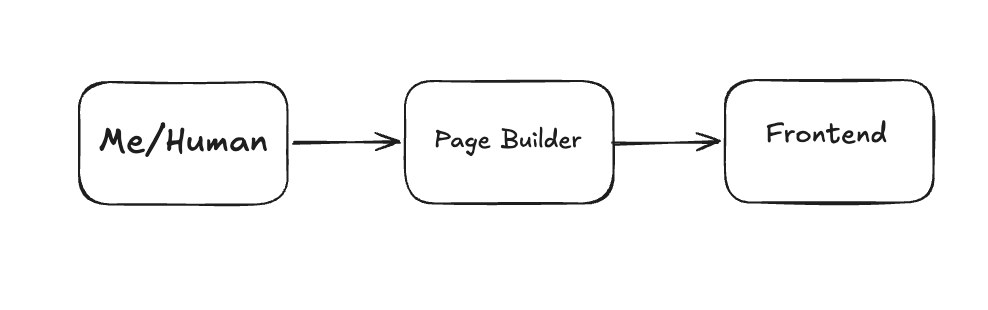
If I want to design something, then I create a page, edit with Breakdance, manually designing by drag and drop element.
Now with AI, I could just open Codex, tell them what I want, give reference, and Codex will built it for me
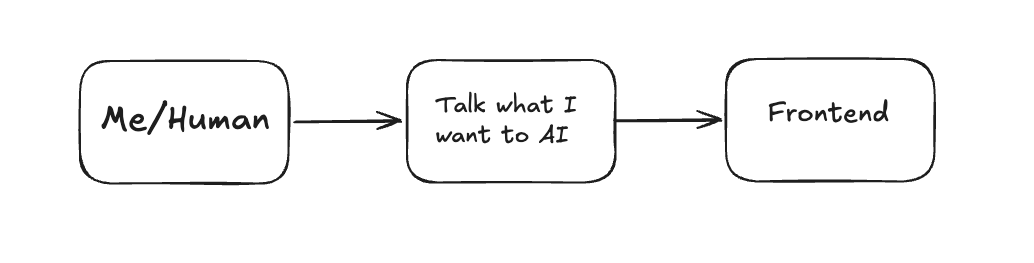
Then I just push to GitHub and it will automatically reflect in my site.
The other benefit that I see is with AI, I could become more flexible.
For example, imagine you want a TOC element on beside of your post element.
If you are using Block Editor, what you might do are:
- Find WordPress plugin that provide TOC elements.
- Install and activate it.
- If you use Block Theme, then you need to go to Site Editor > Edit your post Template.
- Put the TOC element on the post template.
If you are using page builder, and they don’t have TOC element, what might happens are:
- Open support ticket, asking for TOC element to be implemented.
- They add it to their feature request box
- Takes 2-3 months
- It’s finally there
Now, I could just ask AI to create for me and it’s already implemented in few minutes. The difference is night and day now.
Why Astro?
I never look at Astro before. Apart from WordPress, I only tried NextJS.
However, this framework is started rising recently on X.
First one that I know is Joost de Valk, the founder of Yoast SEO.
Joost wrote really good article “Do you need a CMS?”.
That article is the main trigger.
Joost with all of his experience, building his empire in WordPress space, but decide to rework his personal site to Astro.
After that, I kept hearing Astro from both WordPress and non-WordPress user.
And recently Lesley - co founder of EventKoi, also moved her personal site to Astro.
Seeing a lot of people moving to Astro made me pull the lever.
The Process
I start the migration by opening Codex app, the AI app that I’ve been using lately.
I use GPT 5.3 - Codex as my main driver.
I started tell it what I want, screenshot my design preference, and start into plan mode.
It generate all the plan in details and started to execute it.
After it finish executing, I could see the design match 80% of my preference.
Just need few more prompts to match my design expectation.
So frontend done.
Then I realize the blog are in markdown files. I need a way to easily edit my post - yes, a CMS.
I need a CMS that I have to integrate with Astro.
I was thinking, should I still use WordPress as my backend and serve the frontend in Astro?
But that beat the goal where I want to save the cost.
So started looking any other alternatives.
Codex suggest me to use Decap CMS, tried it but didn’t like the interface.
Then in Reddit, I found someone suggest PagesCMS. I tried it and I like it so far.
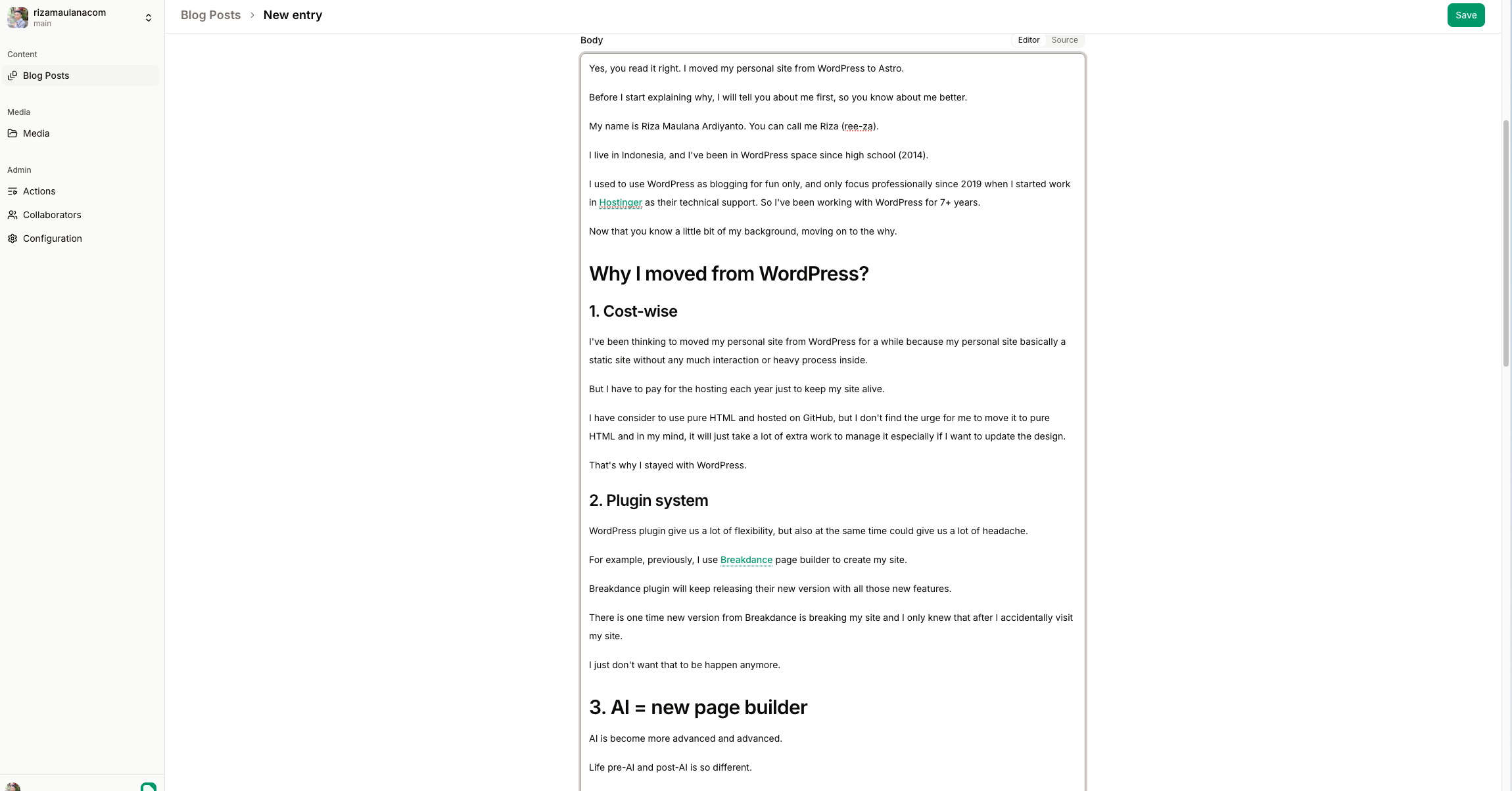
It has the notion-like editor, more than enough for content editor.
What I find little bit too hassle is I have to login to app.pagescms.org to create a post.
I was expecting there is MacOS app that I could write my article.
Lesley use Obsidian for her Astro site.
I tried download Obsidian but it’s so confusing! I quit it within 10 minutes of trying.
However, I’m quite happy with PagesCMS so far. It just do the job as a CMS.
Everything is stored in markdown files within GitHub, and published by Cloudflare Pages.
Will I ditch WordPress?
No, of course not.
My whole life is around WordPress.
I work for PublishPress, which basically a WordPress plugin companies.
I handle my client’s site which all of them are in WordPress.
So, I will not ditch WordPress.
I only move my personal site out of WordPress because I don’t see a reason why I should use WordPress for a really simple site.
Will I move my other site from WordPress?
I have my other site which is WP Remote Work and Big Remote Job.
But I don’t have any plan to move it from WordPress in the near future.
As I mentioned previously, WordPress plugins give us a lot of flexibility.
That’s what I did with those 2 sites.
They have a heavy workflow that tied together inside WordPress.
For example, I use PublishPress Future to automatically move the job post to draft in 2 weeks.
Or a PublishPress Capabilities to allow my subscriber to login and post their opening without seeing the menu they don’t need to see.
Those little things that made me stay with WordPress.
I can’t imagine creating that workflow in AI yet.
AI is really good to create something simple. But for complex thing, I much more prefer with WordPress plugin that being handled carefully with a trusted company behind it.
Of course I could build it my own, but that will just take a lot of my time instead of using existing solution.
So, if you want something simple and fast, use AI.
But if you need something more stable and secure, use WordPress plugins instead.
That’s it.
I moved my personal sites from all-in WordPress, into:
Astro as my Theme
PagesCMS as my Block Editor
GitHub as my Database
AI as my Page Builder